Tidal Cyber Design System · Tidal Cyber · Confidential
An AI-assisted design system that keeps design and code in step.
I inherited a design system that didn't match the product. Using Codex, GitHub, and Figma, I audited what was actually live, rebuilt the system from the tokens up, and worked with engineering to connect it to Storybook. Now the new components are moving into the product one at a time.
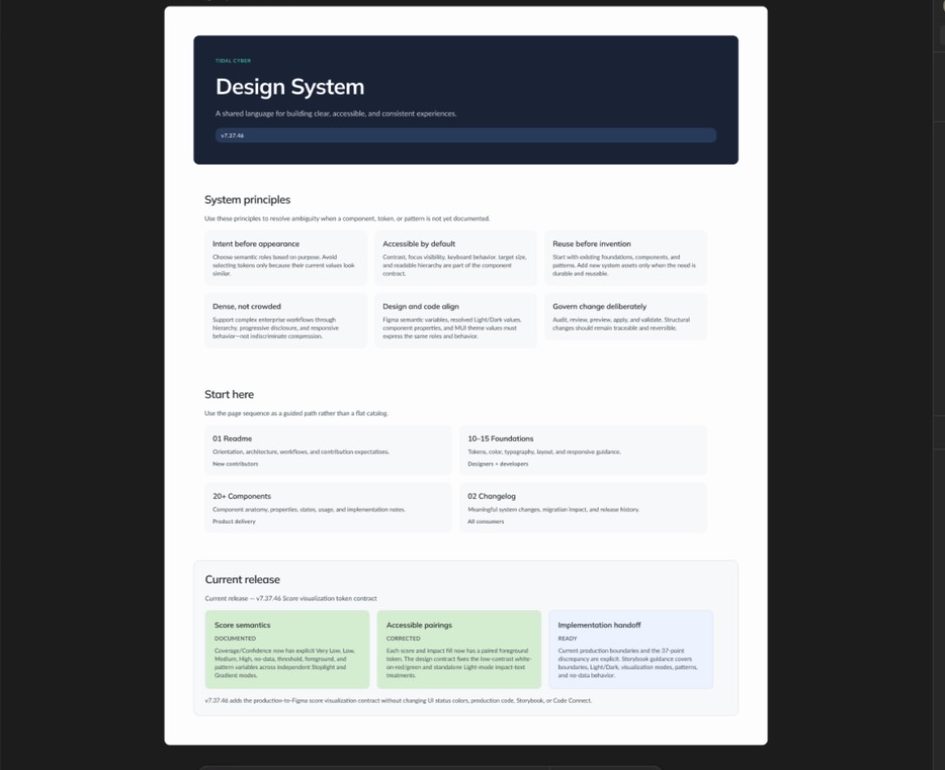
Fully in sync
Engineering's Storybook pulls tokens, variables, and components straight from the Figma system.
Rebuilt from scratch
After an AI-assisted audit of every token, component, and style live in the product.
Self-documenting
Every component ships with a usage breakdown and an automatic change log.
01 · The problem
I inherited a design system that didn't match the product.
An outside agency built Tidal's original design system, and most of it was custom. In my first few weeks, talking with engineering, I learned the product was actually built on Material UI (MUI) components. What Figma documented and what users saw in the app were two different things.
Over the next couple of years I rebuilt parts of the system whenever I worked on a feature. It helped, but it didn't fix the root problem. With several engineering teams contributing to the UI, styles got hardcoded, specs didn't reliably match what got built, and analysts were even zooming their browsers out to about 80% just to fit dense workflows on screen.
There was a forward-looking reason, too. Tidal's visual style is being refreshed, led by the marketing website: new colors, typography, and styling that the product needs to follow. With values hardcoded all over the product, every one of those changes would mean hunting through the code. A system built on shared tokens means a style change happens in one place and carries through everywhere.
Patching the system one feature at a time couldn't catch up. I needed to see exactly what was live, and start from there.
02 · My role
Leading the system as well as designing it.
As the design owner for a growing enterprise cybersecurity platform, I started and led the rebuild while still supporting feature work. I owned the design vision, system architecture, naming conventions, tokens, Figma variables and components, documentation, and the plan for adoption.
Engineering owns the coded components, technical validation, Storybook, and deployment. I worked with them on the audit and the plan, and I take part in QA to check that tokens and components match design intent before they ship.
- Audited the live product with Codex through GitHub
- Aligned the plan with engineering's own audit before building anything
- Built the tokens, Figma variables, and every component, on top of MUI
- Set up the AI-assisted workflow: Figma MCP, agent skills, AI-generated documentation and change logs
- Worked with engineering to connect Storybook directly to the Figma system
03 · How I rebuilt it
Four decisions that shaped the system.
Start with what's live
Audit the real product before designing anything new.
I stepped back and looked at what was actually in production. Through my GitHub connection, I used Codex to pull every token, component, and style in the live UI, flag hand-coded CSS, and compare all of it against the old design system.
The gap was too wide to patch. So I started from scratch, building on the MUI foundation engineering already used instead of introducing something new.
Align before building
Check the plan against engineering's own audit.
Engineering ran their own audit of the UI. I walked them through my plan and adjusted it with them, so the new system fit how they build and what we wanted to create before any new components existed.
Tokens first
Build up from the values already in the product.
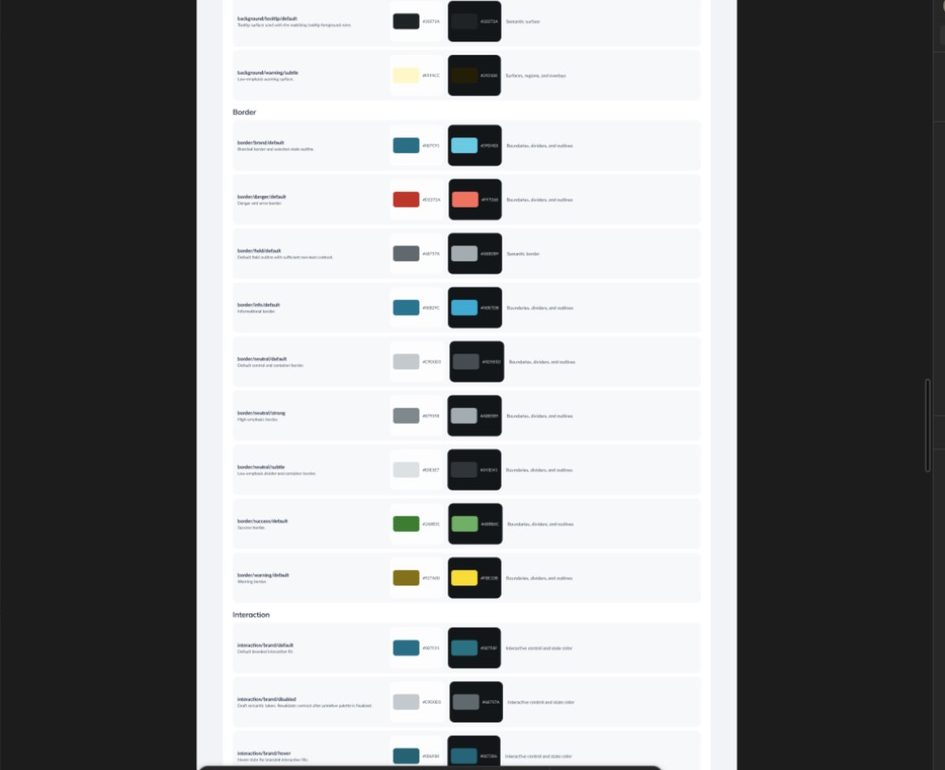
I started with tokens and variables that were already live in the UI, so the foundation matched reality from day one. Then I built each component with Codex from an MUI base template, customized with Tidal's tokens and variables. Buttons were an early focus, since different parts of the platform had drifted into different styles.
Built to stay current
Document every component as it's built.
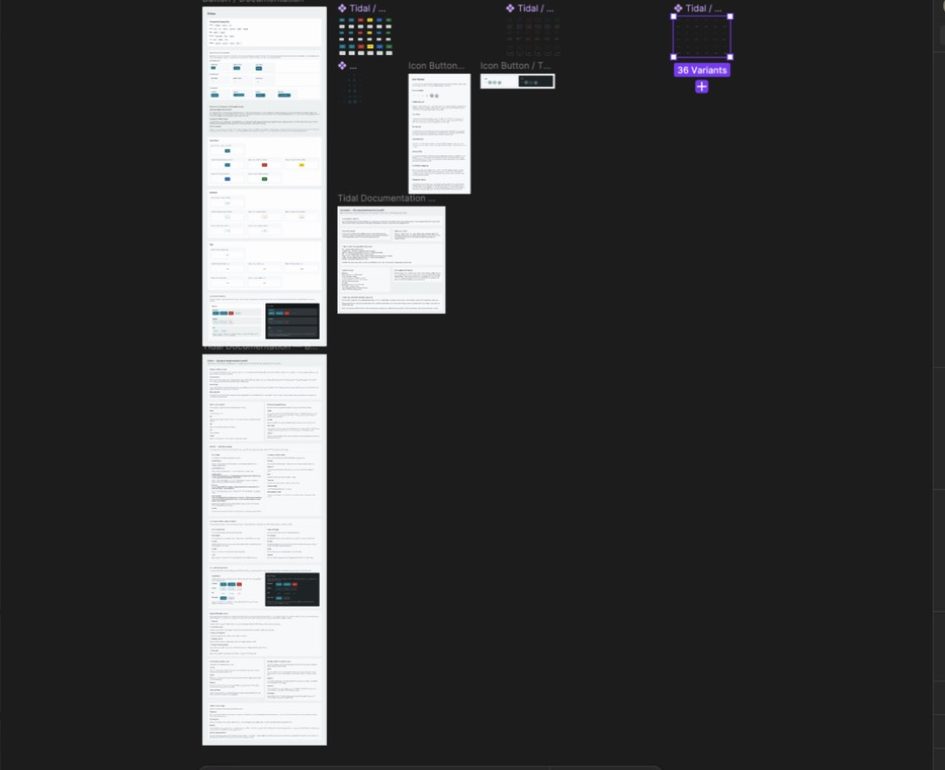
For each component I generated a usage breakdown and an automatic change log. Anyone can see how a component should be used and what changed, without waiting on a separate documentation pass.
04 · The AI-assisted workflow
Design, code, and AI in one loop.
The old system drifted because nothing connected Figma to the code. This time, AI does the heavy lifting of auditing, building, and documenting, and engineering's Storybook reads directly from Figma.
Step 1 · Codex + GitHub
Audit what's live
Pull every token, component, and style from the product and flag hand-coded CSS.
Step 2 · Figma
Define the foundation
Tokens and variables, starting from the values already live in the UI.
Step 3 · Codex + MUI
Build each component
From an MUI base template, customized with Tidal's tokens, with docs and a change log generated.
Step 4 · Storybook
Stay in sync
Storybook pulls tokens, variables, and components straight from the Figma system.
Figma MCP and skills
Agents that follow the system
The Figma MCP server gives coding agents the actual design, and skills tell them to use the exact system components.
Figma link to code
A head start for engineers
Paste a Figma link into a coding agent and get a starting implementation built from existing components.
Prototyping
Real-looking ideas, fast
Figma Make prototypes new pages in the platform's existing style, ready to hand to engineering.
Customer testing
Several options, not one
Quick AI-built prototypes let us test several directions with customers instead of polishing one.
The point isn't to automate away design or engineering judgment. It's to make that judgment better informed and easier to turn into working code.
05 · Where it stands
Figma and Storybook are in sync. The product is next.
Engineering connected Storybook to the Figma system, so tokens, variables, and components come straight from the components I built. When the design system changes, the code reference changes with it. That's the connection the old system never had, and it means the style refresh can roll out through the tokens instead of screen by screen.
In the product itself, we're swapping in the new components one at a time instead of all at once, so each one gets tested in real workflows without disrupting feature work. The audit gives us a clear list of every inconsistency still to replace.
Next comes governance: clear ownership of changes as more teams build on the system.
06 · What I took from this
Three lessons I'd bring to any design system.
Start with the product that exists, not the ideal system you imagine.
The old system showed what happens when a component library isn't tied to production. Auditing the real codebase gave us an honest starting point. A design system only pays off when it can be built and maintained.
Patching doesn't fix drift. Connecting does.
Years of updating the system feature by feature never closed the gap. Connecting Figma to the code, through AI-assisted building and a Storybook that reads from Figma, is what's closing it.
AI is how a design system stays in sync.
Auditing with AI, building components from a shared template, and generating documentation as you go keeps the system from drifting again. It works best when it builds on the expertise people already have, not when it tries to replace it.
07 · What I'd do differently
I'd bring engineering leads in before my audit instead of after it. Having them shape the plan from the start would have built shared ownership sooner.